Mini-WMS
Shipping Container Screen
The Shipping Container Screen provides an overview of containers used during the picking process. Here’s how it works:
Visibility of Picked Containers:
- During the picking process, stock is placed into containers.
- These containers will be listed and visible on this screen.
Review and Validation:
- Users can view all containers and validate their contents.
- Ensure the container contents match the expected ship to name and address, items and quantities against the sales order
Marking as Shipped:
- Once the container is validated:
- Add the tracking number for the container.
- Mark the container as shipped.
This screen ensures seamless tracking of picked containers, streamlines the shipping process, and improves operational accuracy.
Container Management:
-
From the main screen, click on the Shipping button to access the shipping container results screen.
Step 1: Screen showing existing containers.
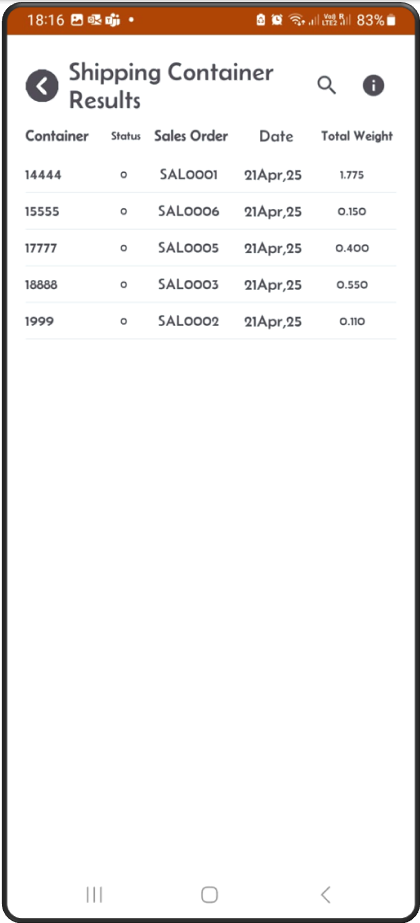
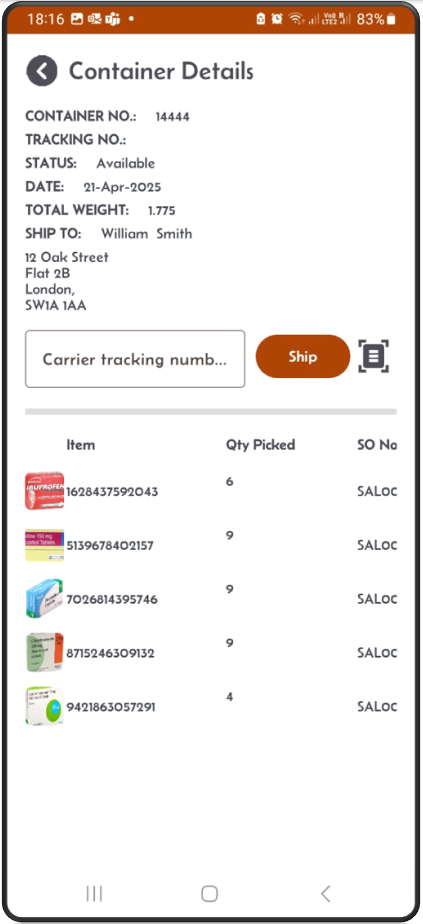
Step 2: From the Results screen, tap one container.
- A screen showing container details will appear.
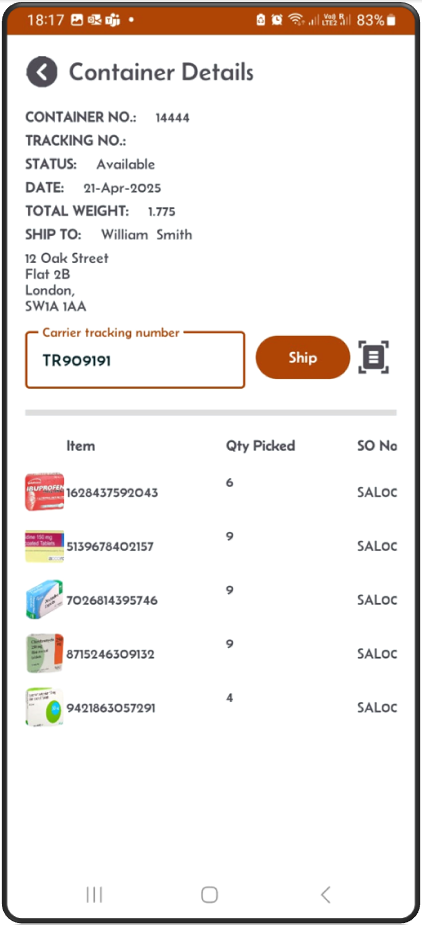
- This will show the container status, Total weight and the ship to name & address.
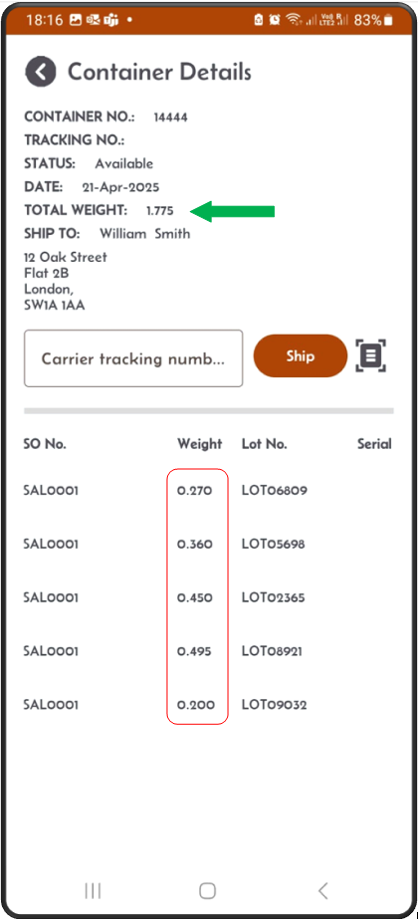
Step 3: Validate the container weight.
The toal weight should be the sum of all the details’ weight.
Step 4: After acquiring a tracking number (from the carrier),
- enter it or scan it on this screen and click the Ship button.
- The status will change from Available to Shipped.
- You can also click Re-Open to update the tracking number.
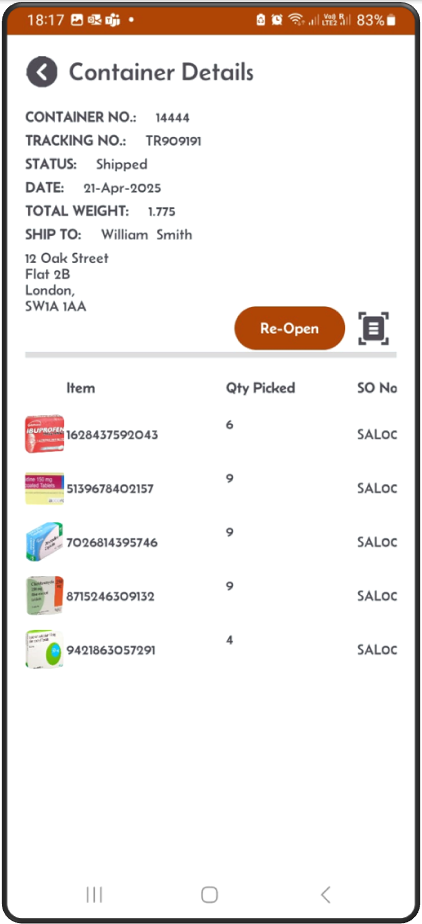
Step 5: After clicking the Ship button:
- The status will change from Available to Shipped.
- You can also click Re-Open to update the tracking number.
Sales order & Shipping container statuses
Container status can go from:
- Available : Status 0
- Shipped : Status 8 (Tracking number is populated and Ship button clicked)
Sales Order status can go from:
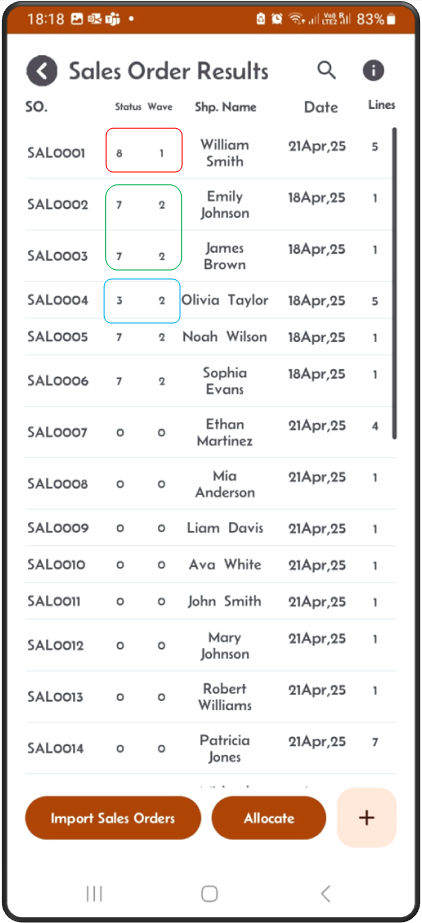
- Available : Status 0. (Not allocated)
- Allocated : Status 3. (Allocated)
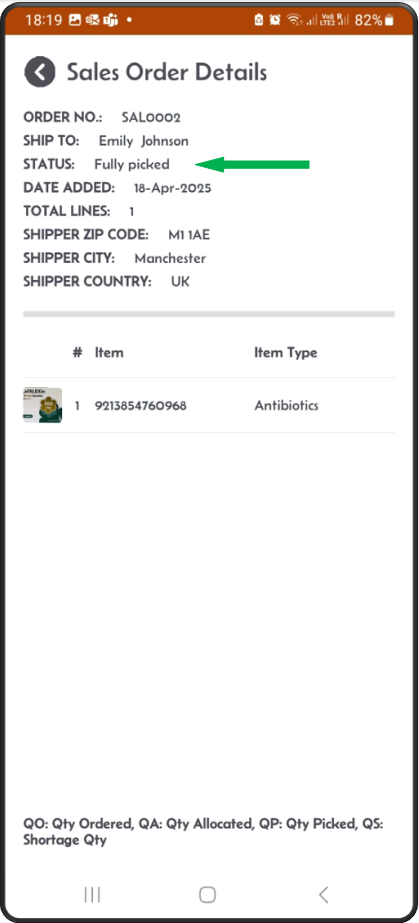
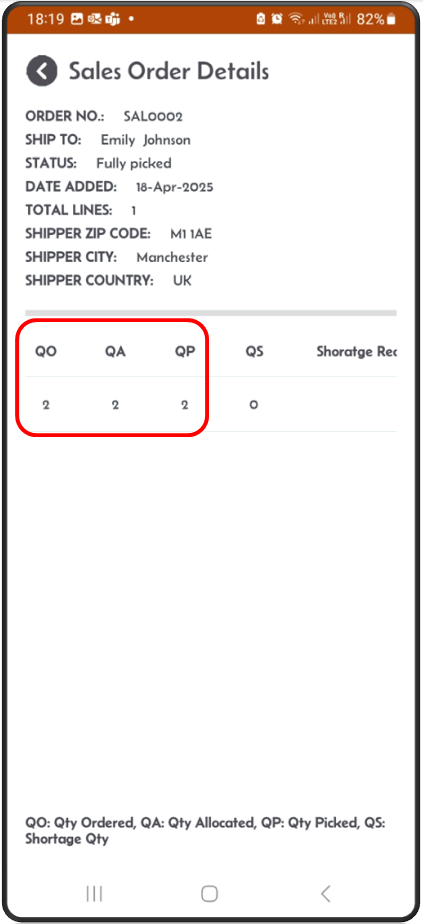
- Fully Picked: Status 7. (All picking work completed)
- Picked into container should be at status Available i.e. status 0.
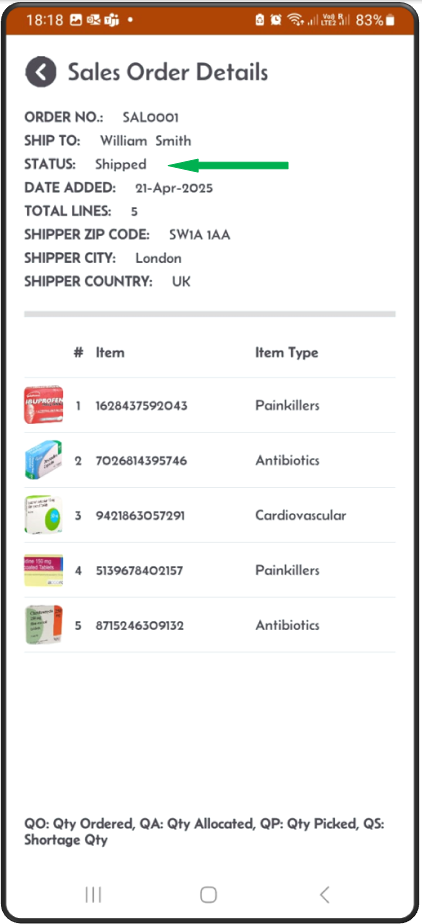
- Closed : Status 8. ( If the container is Ship )
- Picked into container should be at status Available i.e. status 0.