Mini-WMS
Configure locations
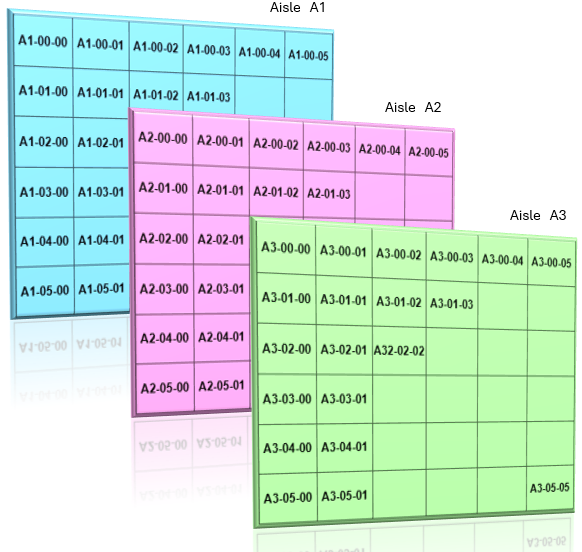
We have adopted the following location labelling system:
AISLE - ROW - COLUMN
A5 - 05 - 10
- A5 represents the Aisle number, indicating the specific section of the warehouse.
- 05 represents the Row number, referring to the horizontal line of storage within the aisle.
- 10 represents the Column number, identifying the vertical position or specific bin within the row.
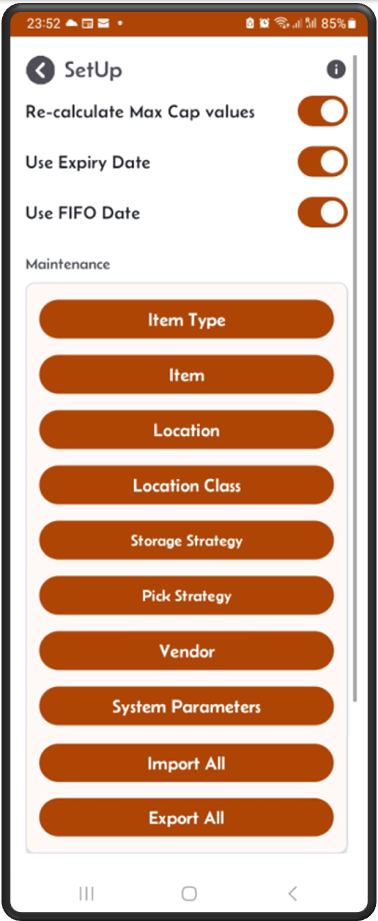
From the main menu
click the SetUp button, then on the SetUp screen click on the location button.
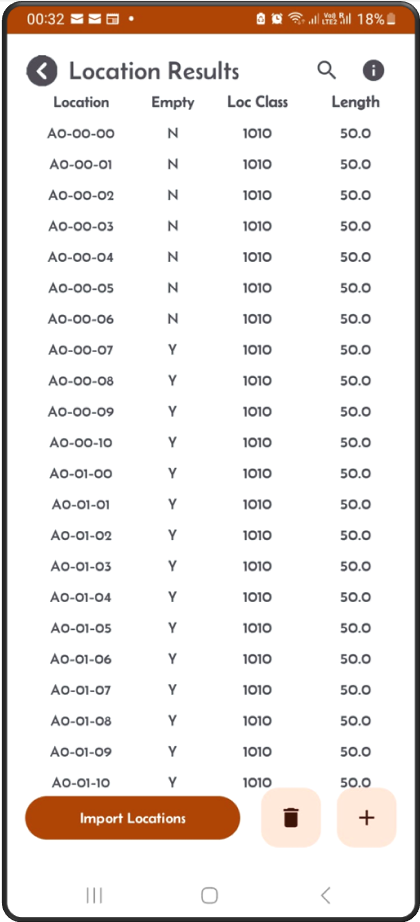
The location result screen
This screen will show you a list of available locations.
- You can add new entries by clicking on the ‘+’ sign.
- You can import a prepared list of location in a spreadsheet by clicking on the ‘Import Locations’ button.
- You can delete one or multiple locations by clicking on the ‘bin’ button.
- Scrol to the left to see more fields.
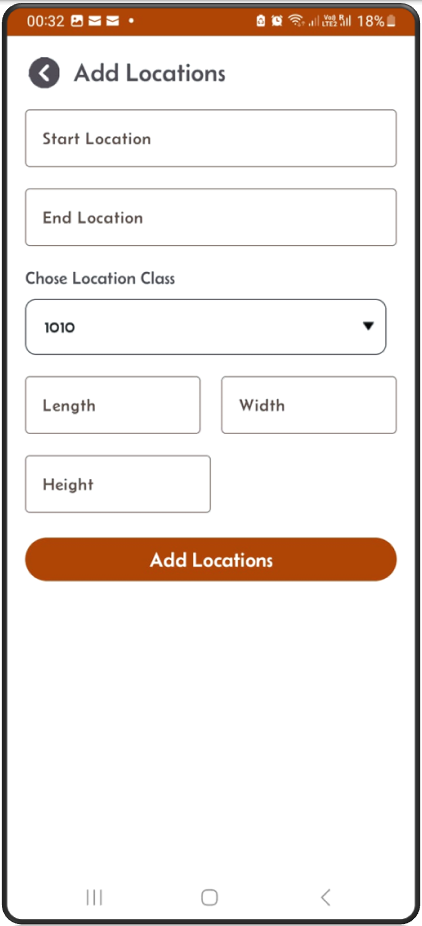
Add screen
From the results screen, click on the ‘+’ sign, the Add screen will appear.
- You have to enter starting location like A00101, ending location like A00909.
- You have to give these new locations a location class.
- You have to also give them dimensions
Delete screen
From the results screen, click on the ‘bin’ sign, the ‘Delete Locations’ screen will appear.
- Enter start/end locations, to delete a range of location.
-
To delete one single location, make the start location same as end location.
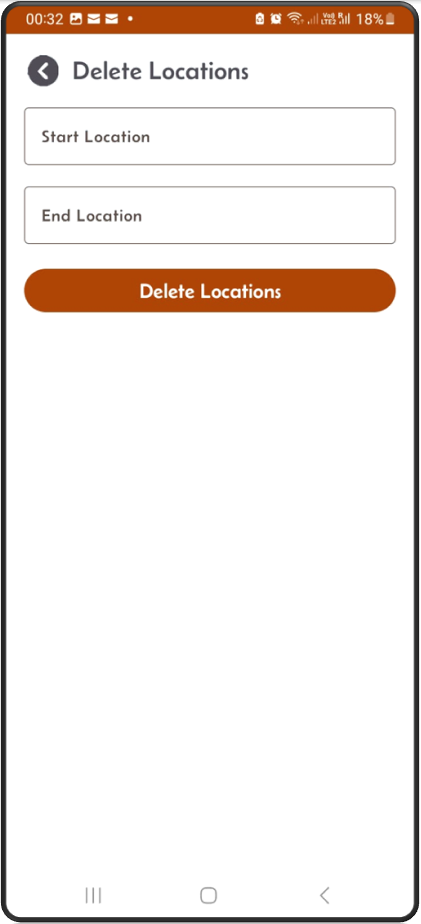
- Click the Location button, the next screen will display the list of existing locations in alphabetical order.
- You can add new locations by using the + button from the locations result screen. To do so, enter the starting and ending locations in this format: starting location
A10000and end locationA30505. Enter a location class and length, width & height.A1andA3represent the Aisle number, the second two digits represent the rows, and the last two represent the column. - This will generate 96 physical locations belonging to a single location class with identical dimensions. You can repeat the same process to generate other sets of locations with different location classes.
- This location labelling system will work whether you have one rack or multiple racks.
- You can delete locations by using the bin button. Enter the start and end locations to complete the delete.
- You can also import locations from an Excel spreadsheet using the “import locations” button.
The spreadsheet columns should contain the first row as column names, then the next rows the location details:
location  loc_class  empty_flg  length  width  height
A10101    100        Y          50      30     40
A10102    100        Y          50      30     40
A10103    100        Y          50      30     40
and so on…
Length, width, and height are in user-defined cm or inches.
Location Fields:
- Location: Location name.
- Empty flag: If set to Yes, the location is empty; otherwise, stock exists in it.
- Location class: Identifier that groups a set of physical locations.
- Length: Length of the location.
- Width: Width of the location.
- Height: Height of the location.